Add another card or account
Use more than one card or bank? Add each app so all your purchases count.
Spendguin starts with your main app. Once that's working, add any other card or bank app you spend with. Each one needs its own purchase alerts turned on.
When Spendguin asks
After your first purchase comes in, a card on Today asks if you use another card or bank app too.
Tap Add another and pick the app. Spendguin walks you through turning on its alerts, same as the first one.
Tap Just this one for now if that's all you use. Spendguin asks one more time a week later, then stops.
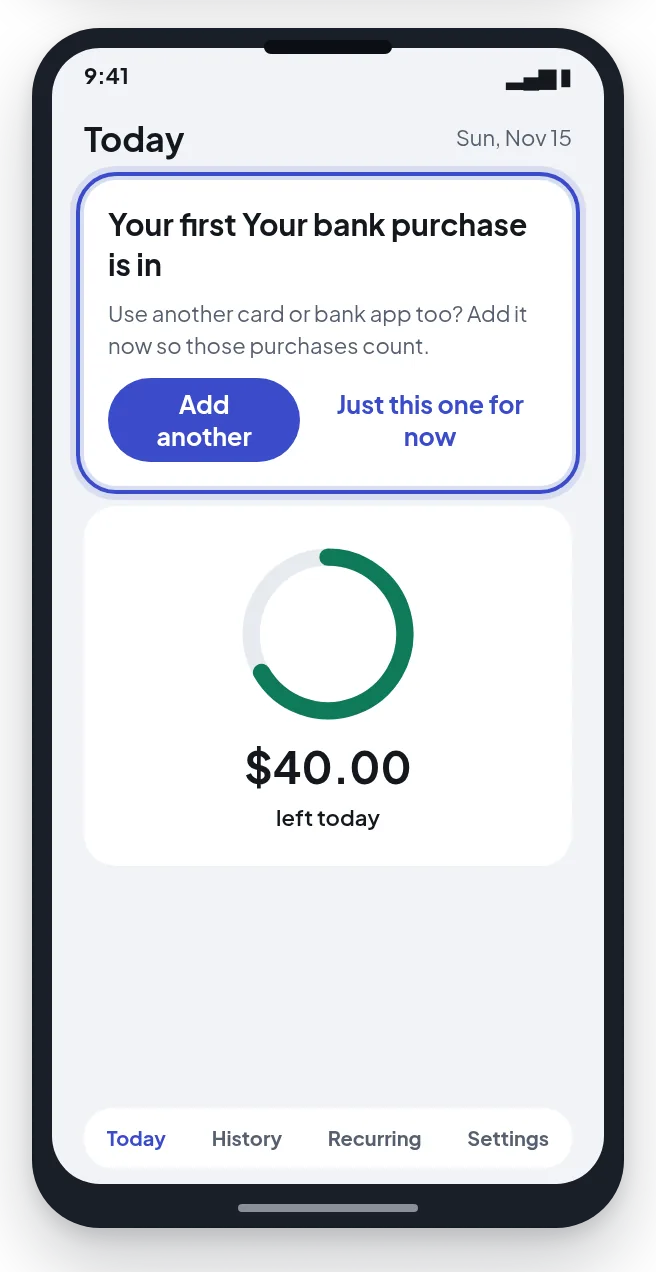
Shows up after your first purchase
Add one anytime from Settings
Go to Settings › Purchase tracking.
Under Watched apps, tap Add another app and pick it.
Then turn on purchase alerts in that app. Turn on purchase alerts on the same screen takes you back through it.
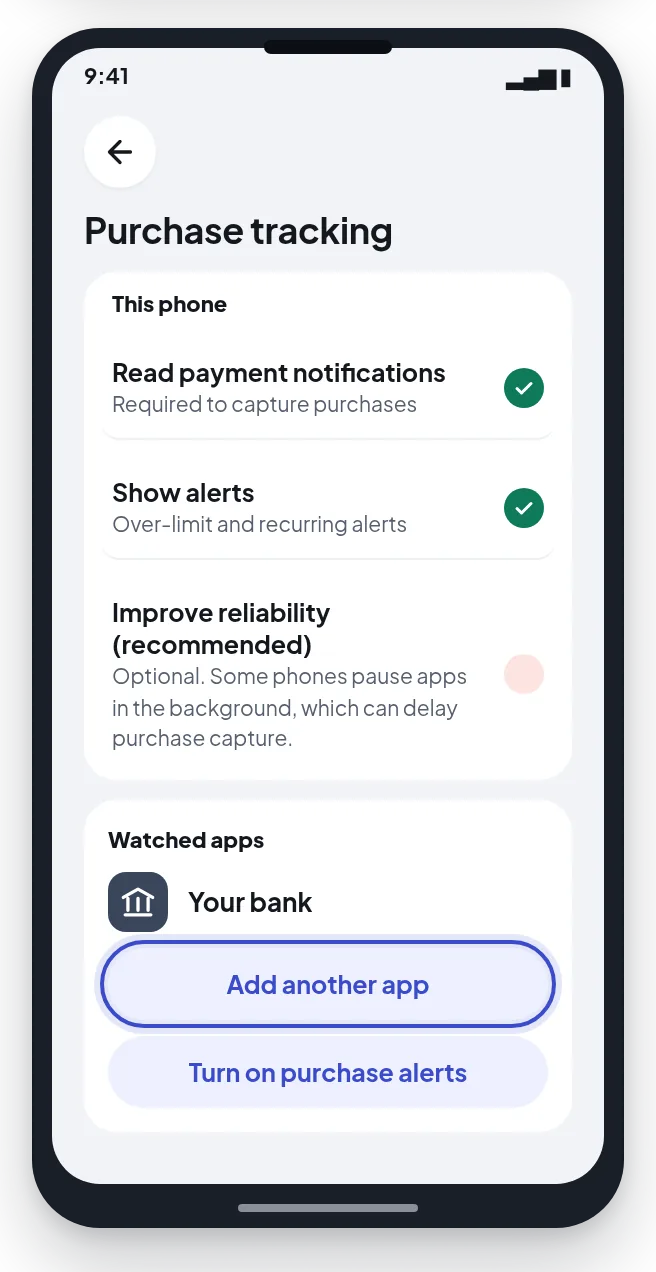
Settings, Purchase tracking
More cards in the same app
If your other card is with the same bank, you don't need to add the app again. Just turn on purchase alerts for that card inside the bank app. Spendguin asks Count this card? the first time it sees it.
Your partner's cards
Each person sets up Spendguin on their own phone, with the apps that send alerts to that phone. Purchases from both phones land in the same household.
Remove an app
In Settings › Purchase tracking, tap Remove next to the app. You need at least one app, so the button only shows when there's more than one.